
QuoteWerks Integrates with ConnectWise PSA (Manage)
Sell More with QuoteWerks and ConnectWise
How long does it take you to create a quote or proposal with ConnectWise PSA (formerly Manage)?
Save time and make your quotes and proposals look compelling and impressive!
Use QuoteWerks, sales quoting and proposal software solution, as a tool in your CPQ and Quote-to-Cash sales process.
-
 QuoteWerks Web & ConnectWiseIntroducing QuoteWerks Web with ConnectWise Manage! During this video we walk through how you can use QuoteWerks Web inside of ConnectWise to generate a quote, create an opportunity, deliver and close the quote in QuoteWerks Web without having to leave ConnectWise!
 -
 Opportunities IntegrationQuick Overview of Opportunities in ConnectWise Manage including creating Agreements, Sales Orders, and Tickets.
 -
 Complete Integration OverviewThis video demonstrates the QuoteWerks integration with ConnectWise Manage.
 -
 #1 ConnectWise MarketplaceQuoteWerks is the Number 1 Rated Solution on the ConnectWise Marketplace
 -
 Overview with our PresidentWhile speaking with customers at IT Nation 2013, we found that most of our customers wanted help setting up and learning how to better use QuoteWerks. We also found that most of our customers didn't know about the solutions we've released over the last two years. Watch John's video to see what you don't know about QuoteWerks.
 -
 Sales TaxDemonstrates how to use the Datalink feature to pull the Sales Tax Rate from ConnectWise PSA (Manage) into QuoteWerks.
 -
 Service TicketsIn this video we introduce you to creating Service Tickets within ConnectWise Manage via QuoteWerks. In the Joes Brewing Printer example, a total of 3 tickets are created. The first ticket is created during the quoting process for the Accounting department to negotiate better rates with a distributor. After the quote it won in QuoteWerks, we then create a ticket for service and a ticket for all of the products.
 -
 Recurring ProductsDemonstrates how to use ConnectWise Manage Catalog Items as Recurring Products on your QuoteWerks quote.
 -
 AgreementsDemonstrates the setting up and using Agreements with ConnectWise Manage.
 -
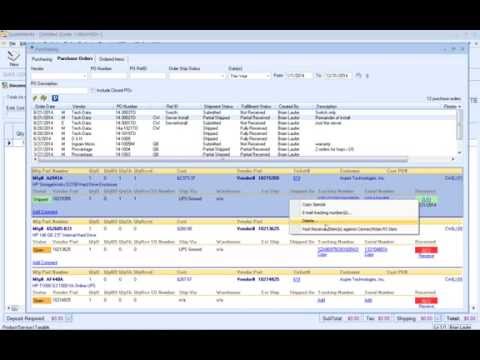 ProcurementThis video will introduce you to QuoteWerks Procurement with ConnectWise Manage, whether you have the ConnectWise Purchasing module or not. We have other videos on our website that discuss placing online orders, tracking your orders, Purchasing Sourcing, and other features of the purchasing window.

QuoteWerks Web - New!
Use the web version of QuoteWerks to create, edit, and view your quotes from anywhere using a web browser. Learn More or Watch the Video

Reasons The ConnectWise Community Chooses QuoteWerks
- QuoteWerks is a Turn-key Solution - No waiting months for implementation.
- Easy to learn, easy to use.
- Easily modify the look of your quotes and proposals.
- It's really fast!
- At QuoteWerks, we believe in Phone Support. You can pick up the phone and reach someone. No need to create a ticket!
- We stand behind our product. QuoteWerks comes with a 100% Money Back Guarantee. No Strings Attached.
- With QuoteWerks concurrent licensing, you do not need licenses for occasional users - Saving you money!
- The ConnectWise®
Community has rated
QuoteWerks® with the most 5 stars on the ConnectWise Marketplace.
ConnectWise PSA/Manage Compatibility
QuoteWerks integrates with ConnectWise 2017.x and higher (Cloud and On-Premise).
QuoteWerks Edition Requirements
The QuoteWerks ConnectWise integration is only available in the Corporate Edition of QuoteWerks.
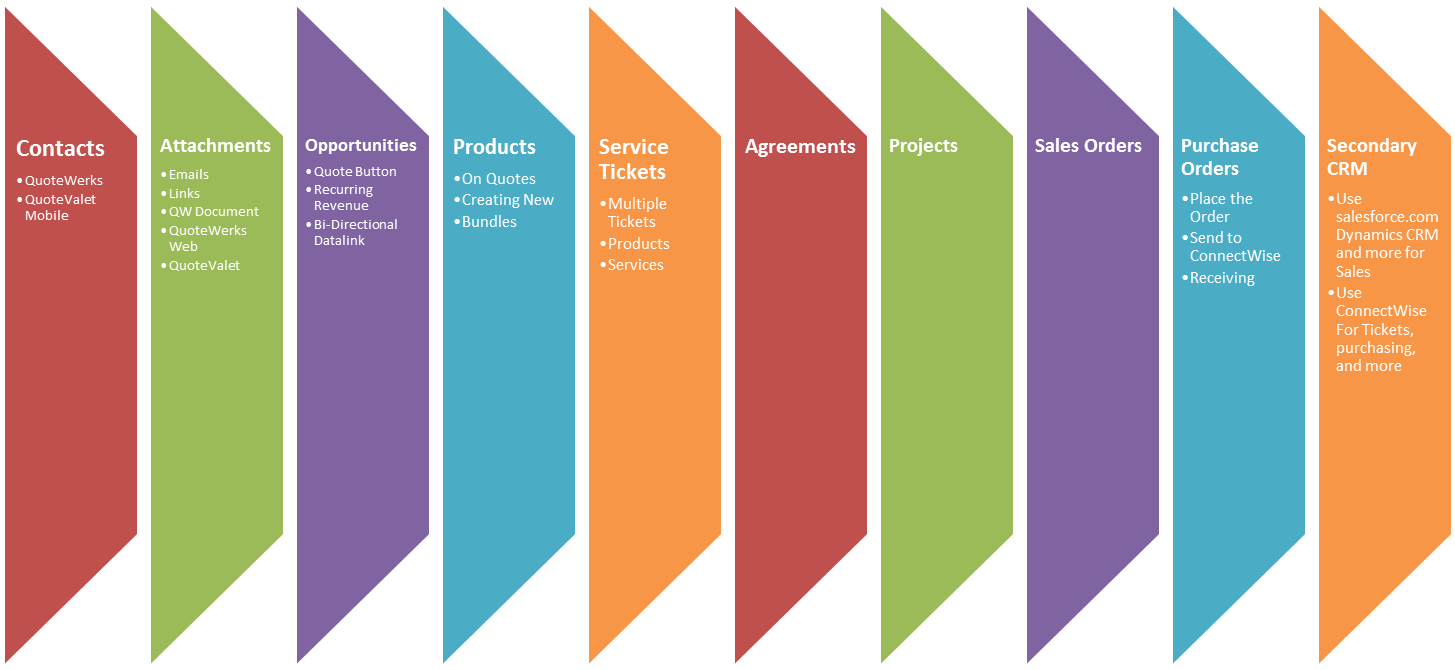
How QuoteWerks Integrates with ConnectWise PSA/Manage
-
 QuoteWerks
leverages your ConnectWise Contacts
QuoteWerks
leverages your ConnectWise Contacts - Automatically creates and updates Sales Opportunities
- Creates products in ConnectWise and attaches products to your Opportunities including Bundles
- Recurring items flow seamlessly into your ConnectWise Opportunity
- Automatically categorizes products, services, managed services, and other forecasts on your Sales Opportunity
- Use your ConnectWise Products in your QuoteWerks Quotes
- Schedule follow-up activities in ConnectWise for your quotes
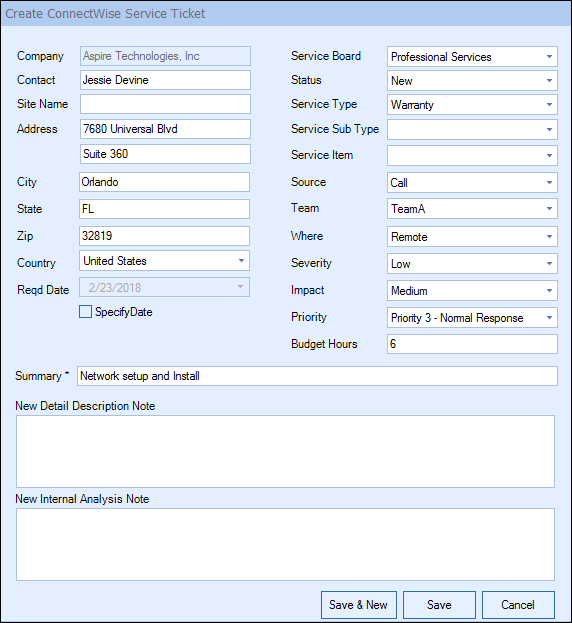
- Creates ConnectWise Service Tickets from within QuoteWerks
- Creates/Updates ConnectWise Sales Orders from QuoteWerks
- Creates/Updates ConnectWise Agreements from QuoteWerks
- Creates/Updates ConnectWise Projects from QuoteWerks
- Attaches PDFs to ConnectWise so people in your organization without QuoteWerks can view quotes
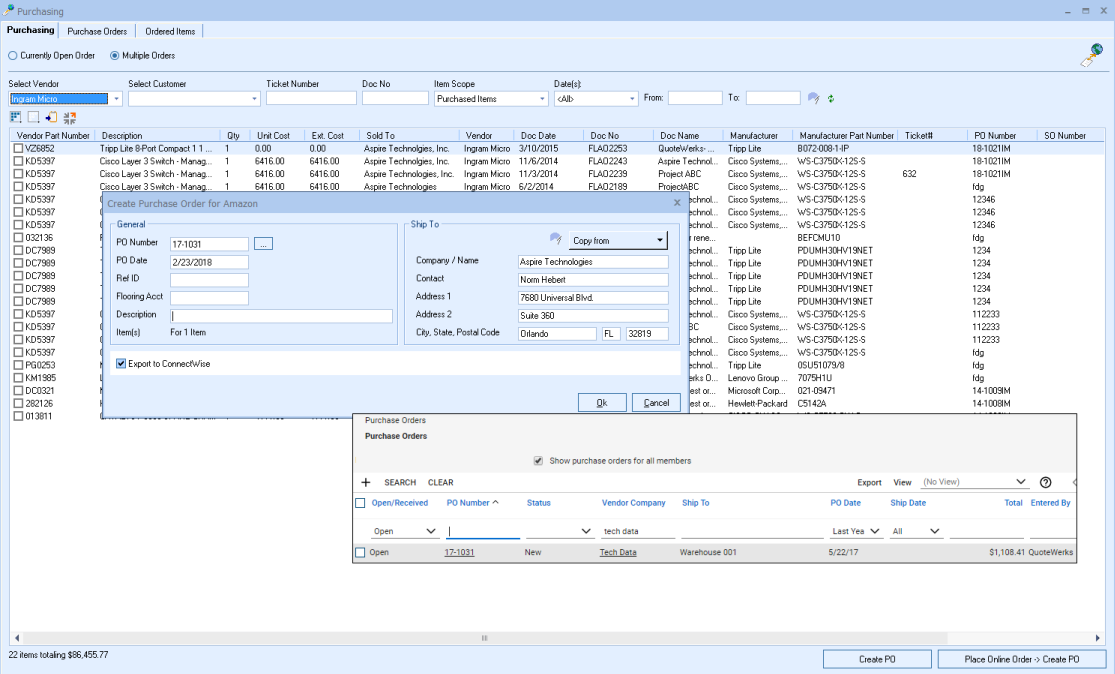
- QuoteWerks sends Purchase Orders to the ConnectWise Purchasing Module
- QuoteWerks syncs Item Receipts with Serial Numbers to the ConnectWise Purchasing Module
- ConnectWise Bundles created by QuoteWerks can becomes Project Phases in ConnectWise Projects
- Fully integrated Quote Button on ConnectWise Sales Opportunity
- Option to use your CRM (HubSpot, salesforce.com, Microsoft Dynamics CRM, etc) for Quoting and ConnectWise for Orders and Tickets
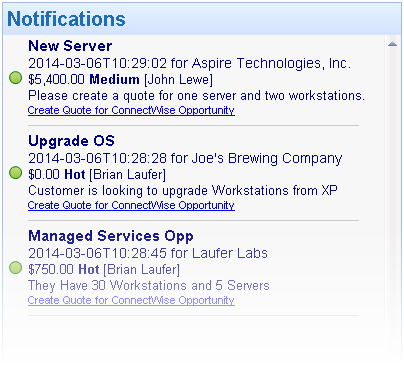
- Create Quotes from an existing ConnectWise Opportunity that appear as Notifications in QuoteWerks
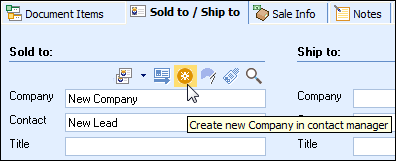
- Create New ConnectWise Contacts from QuoteWerks
- Electronically deliver quotes and proposals to your customers in ConnectWise
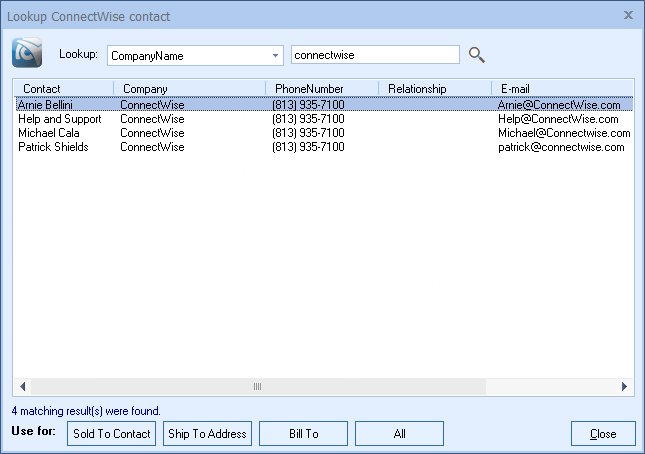
QuoteWerks Searches the ConnectWise Database for Contacts
QuoteWerks Creates Document Attachments in ConnectWise
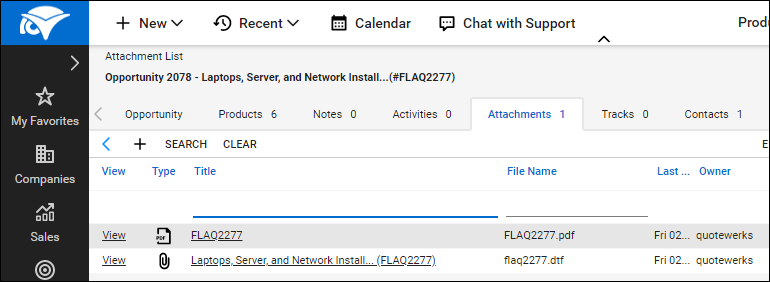
When saving a quote, QuoteWerks automatically creates a link to the quote under the Documents tab in the ConnectWise Opportunity. Additionally, when you are in ConnectWise working with a contact, you will see all the quotes that you have created for them. You can even click on the attachment and QuoteWerks will open and display the quote the attachment refers to. This feature is very useful for organizing and finding your quotes from within ConnectWise. If this is a remote install or satellite office, opening that document link will import that quote into that QuoteWerks installation.
QuoteWerks Creates/Updates Sales Opportunities in ConnectWise
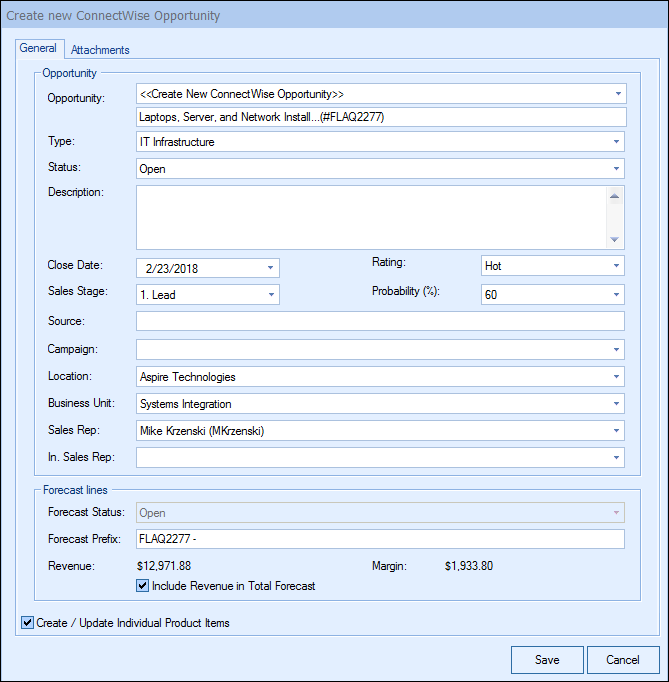
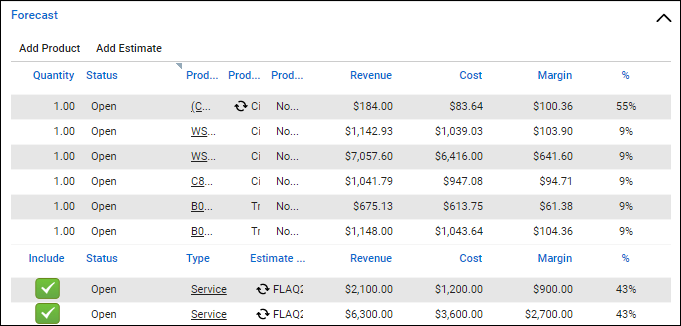
When creating/updating a ConnectWise Opportunity, QuoteWerks can automatically aggregate your forecast types on the quote, create the products, services, and more in the opportunity. The QuoteWerks mappings enable you to configure QuoteWerks for your specific ConnectWise environment.
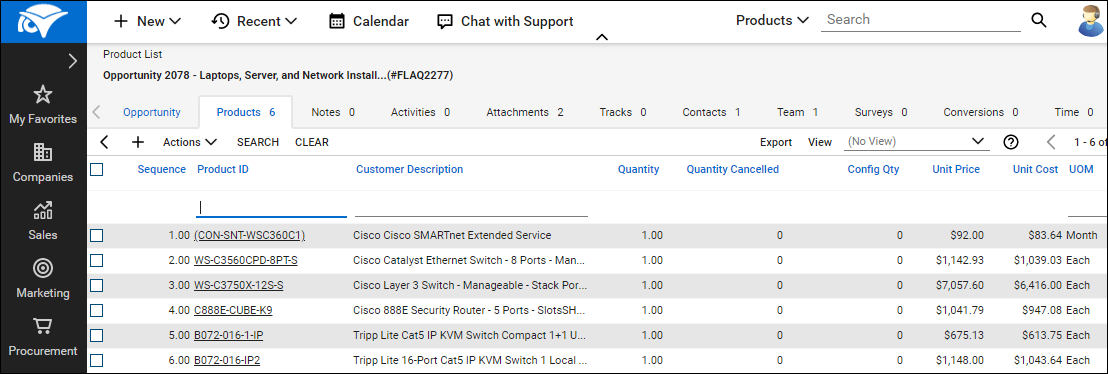
Recurring revenue flows seamlessly from QuoteWerks into the ConnectWise Opportunity
QuoteWerks Creates Bundles in ConnectWise
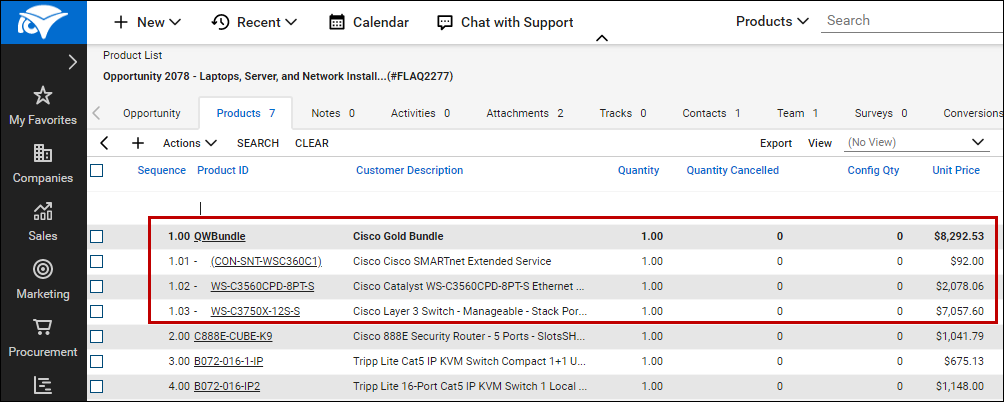
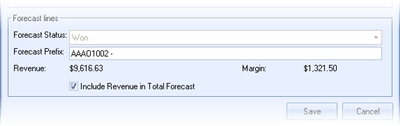
QuoteWerks Creates/Updates Updates Completed Opportunity Forecasts in ConnectWise
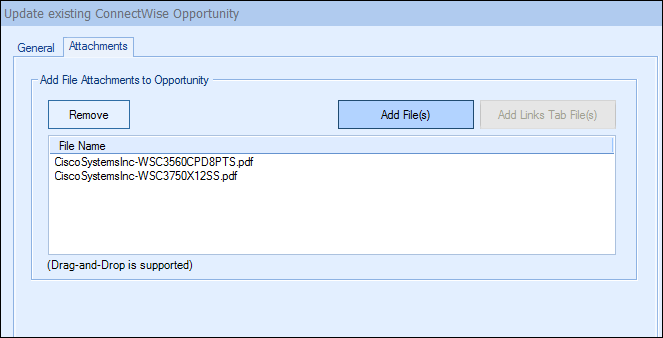
QuoteWerks Attaches Additional Documents/Files to the
Opportunity in ConnectWise
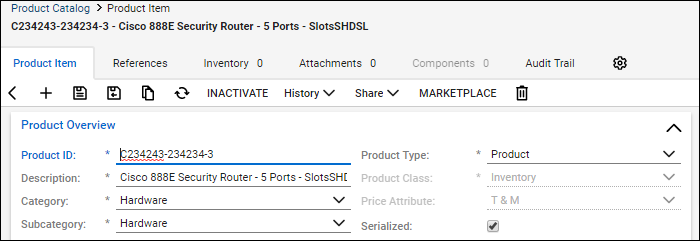
QuoteWerks Creates Products in ConnectWise
When creating opportunities in ConnectWise, if line item detail is selected to be included with the opportunity, those products and services will be created in the ConnectWise product and services databases for future use. In fact, you can even use this feature to completely populate your ConnectWise product database (effectively importing products into ConnectWise) with products from QuoteWerks product databases or your QuickBooks items list.Serialized Products
QuoteWerks Schedules Call Activities in ConnectWise
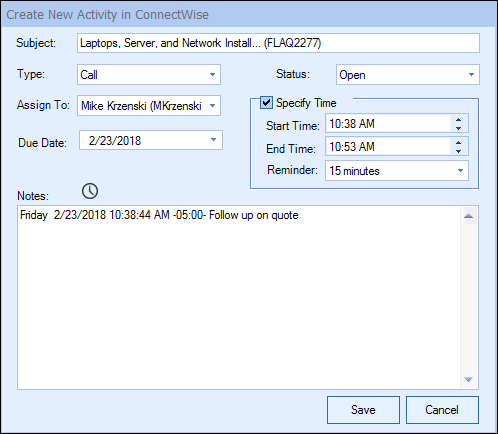
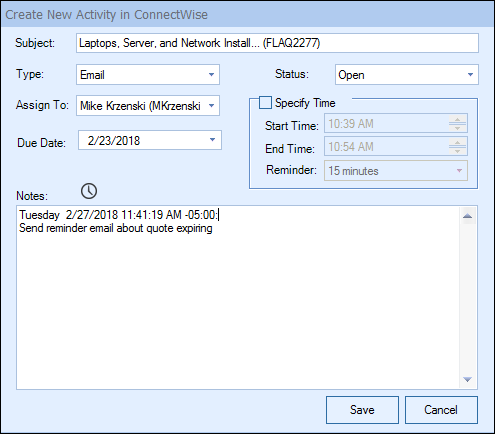
QuoteWerks Schedules One-Off Activities in ConnectWise
QuoteWerks Creates Service Tickets in ConnectWise
QuoteWerks Creates Sales Orders in ConnectWise
QuoteWerks enables you to create Sales Orders in ConnectWise. When winning the ConnectWise Opportunity from QuoteWerks, you can choose to create a ConnectWise Sales Order! This will link all Products, Notes, and Documents from the ConnectWise Opportunity to the New Sales Order in ConnectWise. Sales Orders in ConnectWise enable you to process, receive, enter and track your client orders with visibility and control.
Use ConnectWise Products in QuoteWerks
QuoteWerks enables you to use the products you already have in ConnectWise. QuoteWerks can link to the ConnectWise product database as a Product Data Source. From within QuoteWerks, you can search the ConnectWise product database and add these products to your QuoteWerks quote. Watch a Video
Create Quotes from ConnectWise Dashboard Notifications
Products on the ConnectWise Opportunity will also be added to the new quote. This is helpful when using outside solutions like Labtech or JoomConnect that create Opportunities in ConnectWise.
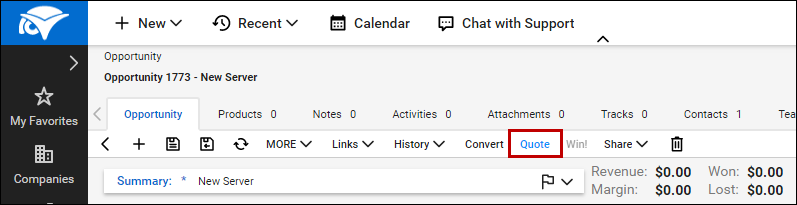
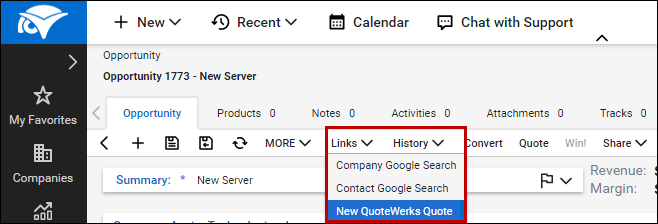
Initiate the QuoteWerks Quote from within ConnectWise
Using the "Quote Button" Method
Using the "Links" Method
QuoteWerks Creates Purchase Orders in ConnectWise
Exchange information between QuoteWerks and ConnectWise PSA/Manage
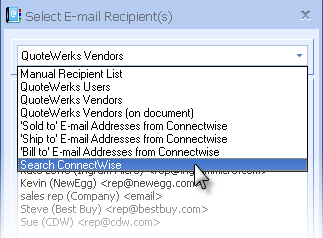
When you select the ConnectWise PSA (formerly Manage) contact to use in the quote, our innovative DataLink feature can automatically pull other information from ConnectWise into the quote such as sales tax, customer terms, customer profile, shipping method, etc. Customer profiles can be used by QuoteWerks to determine the appropriate pricing a particular customer should receive.The ConnectWise DataLink is bi-directional, so field information can be copied from QuoteWerks into the ConnectWise opportunity and then fields can also be copied from the ConnectWise Opportunity into QuoteWerks. Additionally, information from QuoteWerks line items can be copied into ConnectWise Opportunity Line Items.
As an example, you can use the Datalink to auto-retrieve the Sales Tax Rate for the Company in ConnectWise into QuoteWerks.
ConnectWise as a Secondary CRM
Does your sales team utilize a CRM other than ConnectWise? QuoteWerks integrates with the leading CRM packages and provides the ability to use ConnectWise as a secondary CRM. This lets ConnectWise users use QuoteWerks with a CRM like HubSpot, Microsoft Dynamics CRM, salesforce.com, or the other supported CRMs to do all their prospecting and quoting leveraging our dynamic CRM integrations. Then, when the quote becomes an order, QuoteWerks can create or link to the customer in ConnectWise and create the sales opportunity, products, and service tickets, and more in ConnectWise.
QuoteWerks Prints Information Pulled from other ConnectWise fields
QuoteWerks has a built-in print layout designer that allows you to customize the look of your quote. The print layout designer also allows you to easily insert data fields from ConnectWise into the QuoteWerks print layout. Then, when you print the quote, QuoteWerks will pull data from the ConnectWise contact fields that you inserted into the print layout resulting in a printed quote that includes information from your ConnectWise contact record. This feature is different from the DataLink feature (described above) in that this extra data is pulled from ConnectWise and printed, but not saved with the quote. When you need to save the information pulled from ConnectWise into the quote, you would use the DataLink feature. So, for example, if you are using a field in ConnectWise to store the contact's assistant's name, you can insert that ConnectWise field into the print layout so that when the quote is printed, the assistant's name will be printed on the quote, but not saved with the quote.
QuoteWerks Can Pull Lookup List Information from ConnectWise
Many of the fields in QuoteWerks have a lookup list option. When you press the F2 key while in one of these fields, QuoteWerks will display a list of values that you can choose for the field. You can create a macro value that pulls information from a field in ConnectWise. For example, if you press the F2 key while in the terms field in QuoteWerks, QuoteWerks will display a list of terms options that you have previously entered. You can create a new option that retrieves a value from a field in ConnectWise that you use to store your terms.
QuoteWerks Integration to ConnectWise - Designed for Automation
The QuoteWerks built-in ConnectWise integration is designed so that the administrator can setup how they want the information to flow from QuoteWerks to ConnectWise. There is an emphasis on the automation aspect of the integration. QuoteWerks does not require the sales rep to manually specify that "these 3 line items need to go into the Product forecast line, these 2 items need to go into the Manages Service forecast line, etc"; doing so, would introduce a myriad of user errors. When user input is required, such as when saving the quote, QuoteWerks prompts the sales rep with a simple checkbox asking if they want to create a ConnectWise opportunity and if they choose to do so, they will be prompted with a window to supply the required information.ConnectWise Community Reviews













































Contacts - Opportunities - Products - Sales Orders - Agreements - Projects -
Purchasing - Tickets
No credit card required.