
QuoteWerks Integrates with salesforce.com
Keeping your Opportunities up-to-date - Automatically!
Fill Your salesforce.com sales pipeline with Professional looking quotes and proposals
Work your sales pipeline harder and create more comprehensive quotes, proposals, and estimates!
Use QuoteWerks, sales quoting and proposal software solution, as a tool in your CPQ and Quote-to-Cash sales process.
-
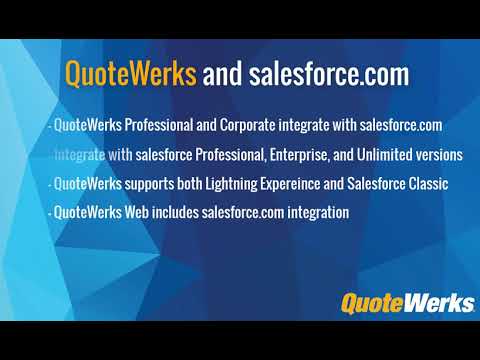 Integration OverviewThis video demonstrates the QuoteWerks integration with salesforce.com.
 -
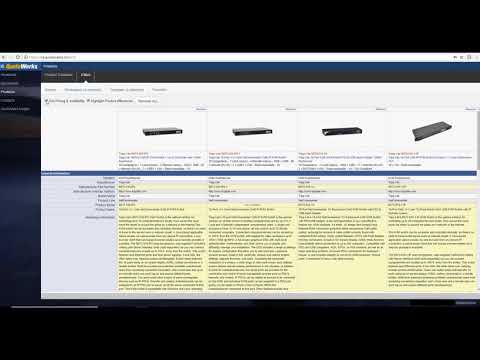 QW Web & Salesforce.comSee how easy it is to create, edit, and deliver quotes using QuoteWerks Web. This video covers the major features of QuoteWerks Web and how it integrates with Salesforce.com.

QuoteWerks Web - New!
Use the web version of QuoteWerks to create, edit, and view your quotes from anywhere using a web browser. Learn More or Watch the Video
QuoteWerks Compatibility with salesforce.com
 QuoteWerks integrates with the Professional, Enterprise,
and Unlimited editions of salesforce.com.
QuoteWerks integrates with the Professional, Enterprise,
and Unlimited editions of salesforce.com.Note: salesforce.com "Essentials" Edition does not have access to the salesforce.com APIs, so external programs like QuoteWerks cannot integrate with this edition.
QuoteWerks works with both the Lightning Experience and Salesforce Classic.
How QuoteWerks Integrates with salesforce.com
QuoteWerks integrates with salesforce.com enabling you to create professional quotes and proposals. Our quoting tool leverages your salesforce.com contacts and automatically keeps your Opportunities and Sales Pipelines up-to-date.
-
 QuoteWerks
leverages your salesforce.com Contacts
QuoteWerks
leverages your salesforce.com Contacts - Automatically creates and updates Sales Opportunities
- Creates products in salesforce.com
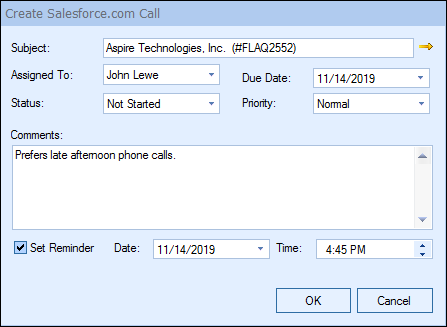
- Creates and updates follow up calls in salesforce.com
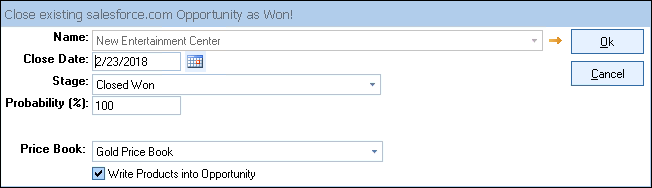
- When quotes are Won in QuoteWerks, the salesforce.com Opportunity is also updated as Won
- Use your salesforce.com Products in your QuoteWerks Quotes
- Attaches PDFs to salesforce.com so people in your organization without QuoteWerks can view quotes
- Create a New Quote from salesforce.com
- Create New salesforce.com Contacts from QuoteWerks
- Electronically deliver quotes and proposals to your customers in salesforce.com
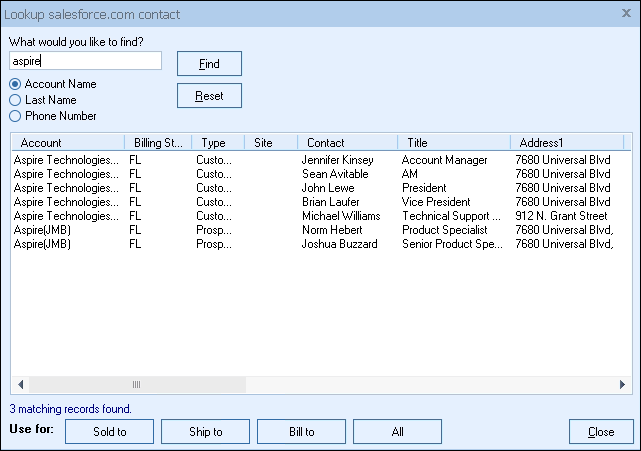
Exchange information between QuoteWerks and salesforce.com
When you select the salesforce.com contact to use in the quote, our innovative DataLink feature can automatically pull other information from salesforce.com into the quote such as customer terms, customer sales tax rate, customer profile etc. Customer profiles can be used by QuoteWerks to determine the appropriate pricing a particular customer should receive.The salesforce.com DataLink is bi-directional, so field information can be copied from QuoteWerks into the salesforce.com opportunity and then fields can also be copied from the salesforce.com Opportunity into QuoteWerks. Information from QuoteWerks line items can be copied into salesforce.com Opportunity Product Line Items and information can be copied from the salesforce.com Opportunity Product Line Items into the QuoteWerks line items.
QuoteWerks Creates/Updates attachments for salesforce.com opportunities
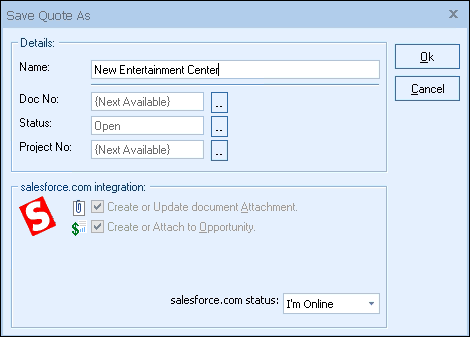
QuoteWerks Creates/Updates opportunities in salesforce.com
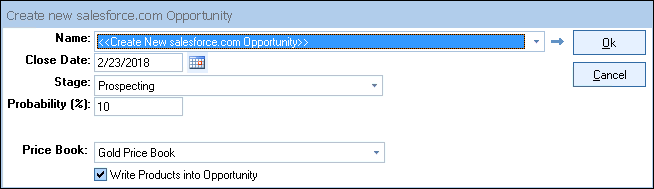
When saving a quote, QuoteWerks automatically creates or updates an existing opportunity for the account. When you are in salesforce.com and select the opportunity, you will see the quote attached to the opportunity, and will see the history of the stages the quote has progressed through during the life of the opportunity.
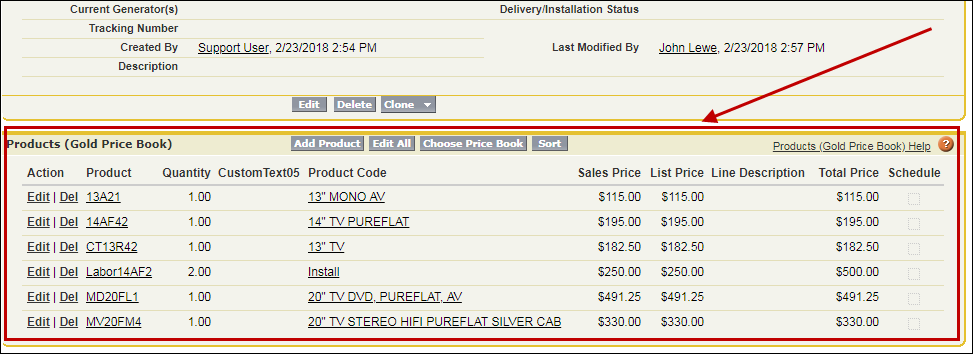
salesforce.com Opportunity Product Details
You also have the option of writing product details from QuoteWerks into a salesforce.com Opportunity. If the products on your quote do not exist in salesforce.com there is an option to create them, right from QuoteWerks! Furthermore, you can set a default Price Book for the salesforce.com Opportunities QuoteWerks created, which is where the line items from the QuoteWerks quote will be created/updated.
Share/update Information between salesforce.com Opportunity and your Quote
You can configure the DataLink to copy information from QuoteWerks into salesforce.com opportunity fields when QuoteWerks creates or updates a salesforce.com opportunity. This can be done on the opportunity level, or at the line item level. The DataLink is bi-directional so after the Opportunity is created/updated in salesforce.com you can setup a DataLink mapping to copy information from the salesforce.com opportunity back into the QuoteWerks quote. This can be done at the opportunity level and also the opportunity product items level enabling you to update QuoteWerks line item columns with information from the salesforce.com opportunity or opportunity product items.
QuoteWerks Creates/Updates Follow up Calls in salesforce.com
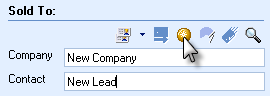
Initiate new quotes from within salesforce.com

If you have an existing opportunity that was created within salesforce.com, you can initiate the creation of a new QuoteWerks quote for this opportunity by clicking on the "New Quote" hyperlink found under the "Web Integration Link" section located on the opportunity screen.













































No credit card required.